sandpie for Android
Install sandpie on your phone. Replies keep generating while you use other apps or lock the screen, and a live notification shows every reply in progress, with a button to stop them.
sandpie is now an Android app. It's the same sandpie as on the web (your chats, files and settings, always up to date), with what a phone browser can't do well: it keeps working in the background.
In a mobile browser, a long reply stops as soon as you switch apps or lock the phone. In the app, sandpie carries on, and a notification shows you how it's going.
Download for Android (APK)sandpie.app/download/android
Install
The app is installed from a file (APK), not from the Play Store.
- On your phone, open sandpie for Android, or in sandpie go to Settings → Install → Download for Android (APK).
- Open the downloaded
sandpie.apk. If Android asks, allow your browser to install apps ("Install unknown apps"), then tap Install. - Open sandpie and sign in as usual.
If you already had an earlier version of the app, installing this one updates it in place.
Let it run in the background
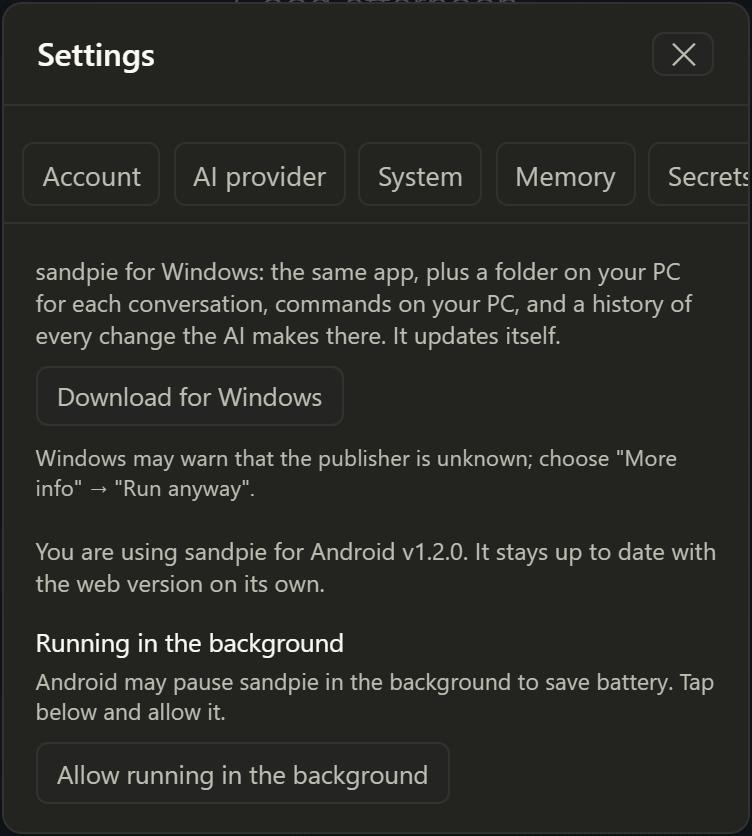
The first time you send a message, sandpie asks to be allowed to run in the background (Android calls it battery optimization). Accept it: without it, Android pauses sandpie as soon as you leave the app and the reply stops.
You can check it at any time in Settings → Install, which also shows the installed version:
Heads up: On Xiaomi phones (HyperOS / MIUI) this is not enough: also go to the app's Battery saver settings and choose No restrictions. sandpie tells you when that's needed.
The live notification
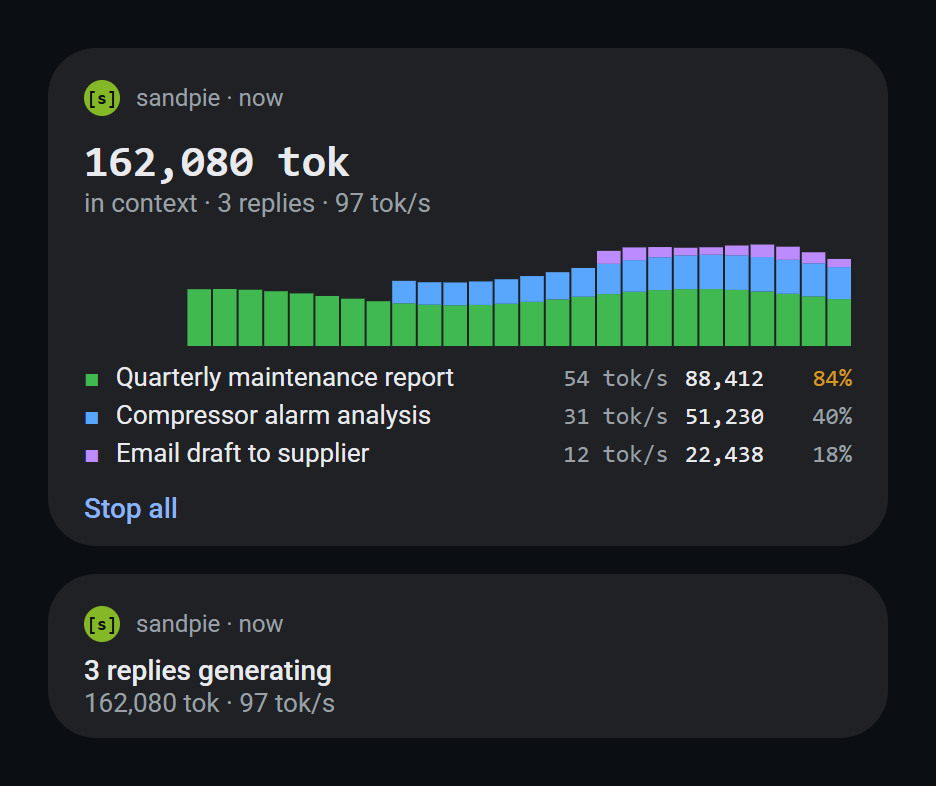
While replies are generating, sandpie shows a notification:
- Collapsed: how many replies are generating, total tokens and speed.
- Expanded: a graph of the last 30 seconds with one colour per conversation, and one line per conversation with its speed, its size and how full its context is (in amber when it's close to being compacted).
- Stop all stops every reply in progress.
Updates
- Everything you see in sandpie updates by itself: the app loads the live version, just like the browser.
- Only the app shell (the background mode and the notification) needs a new APK now and then. When there is one, download and install it the same way; your data stays.
Good to know
- Android only (on iPhone, keep using the browser).
- Every reply in the background still uses the AI model as usual; Stop all is there when you change your mind.